
Files
Project files
Uploads, Deliverables and working files for a Project.
Every Project has its own Files. Open them with Files on the Project page, or All files beside What came in and What went out.
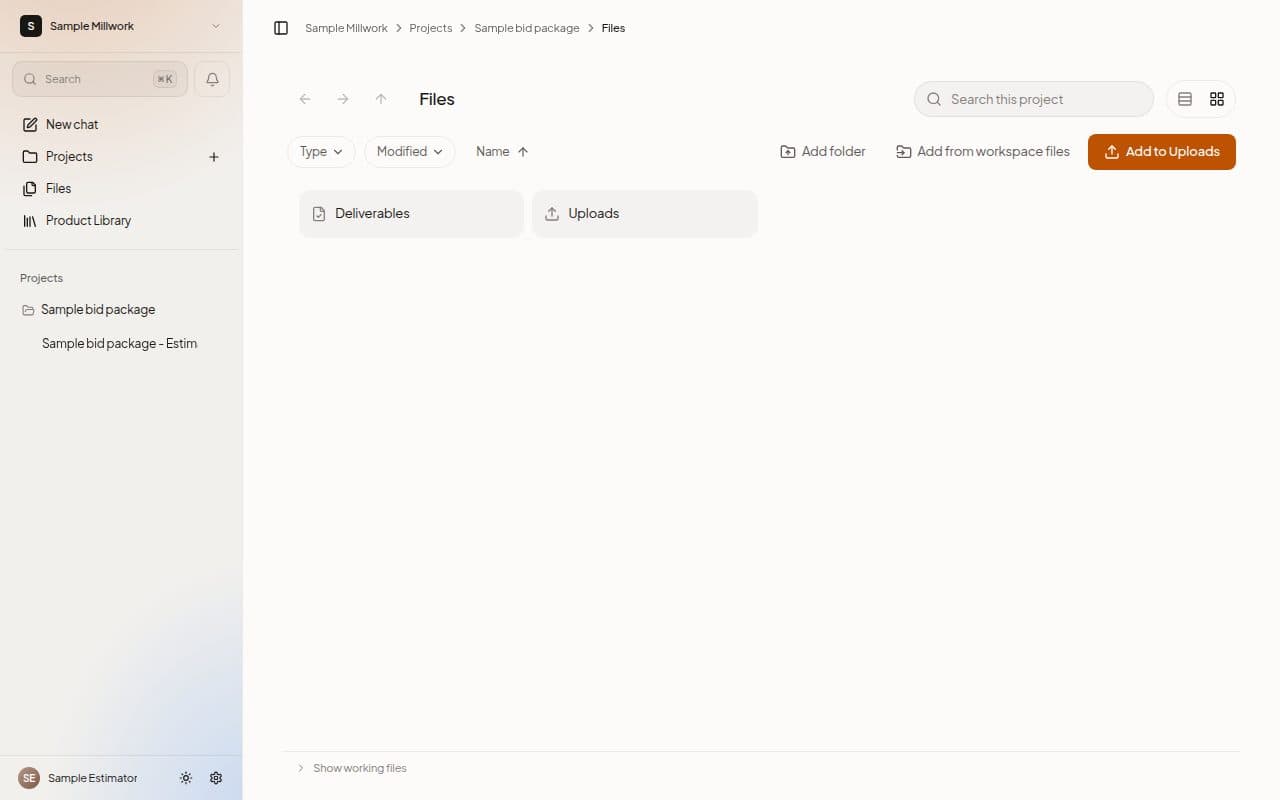
Three places
- Uploads holds the drawings, specifications and addenda you add. Drop the whole bid package in.
- Deliverables holds the finished files MillOS publishes: the estimate, the proposal and the marked-up set.
- Working files are MillOS's intermediate work, kept under the name of each Chat. Choose Show working files at the bottom of the list to see them, and Hide working files to put them away.
Add files
- Add to Uploads brings files in from your computer.
- Add from workspace files copies files you already have in Files into the Project.
- New folder makes a folder inside the Project, and Add folder uploads a whole folder from your computer.
- Drag files onto the list and the page reads Drop to add to Uploads.
Find and share
Use Search this project, the Type and Modified pills, the Name sort and the list and grid buttons. Select a file in Deliverables to Share it.
Next steps
Last updated on