
MillOS Docs
Drawing set in. Defensible estimate out.
MillOS reads your drawings, specifications and addenda, then returns a sourced estimate, workbook and proposal. Your estimator reviews every line and owns the number.
How an estimate comes together
- Step 1
Add your drawings
Drawings, specifications and addenda go into a Project.
- Step 2
MillOS measures and prices
Quantities are measured on the drawings and each line is priced.
- Step 3
You review every line
Approve, reject or comment on each priced line.
- Step 4
Send the proposal
Download the proposal and the workbook.
What you can do with MillOS
Measure
See and edit every measurement on the drawing in Takeoff Studio.
Price
Keep your products, units and rates in the Product Library.
Review
Check each line, answer questions and send feedback for the next round.
Deliver
Find proposals, workbooks and every version in Files.
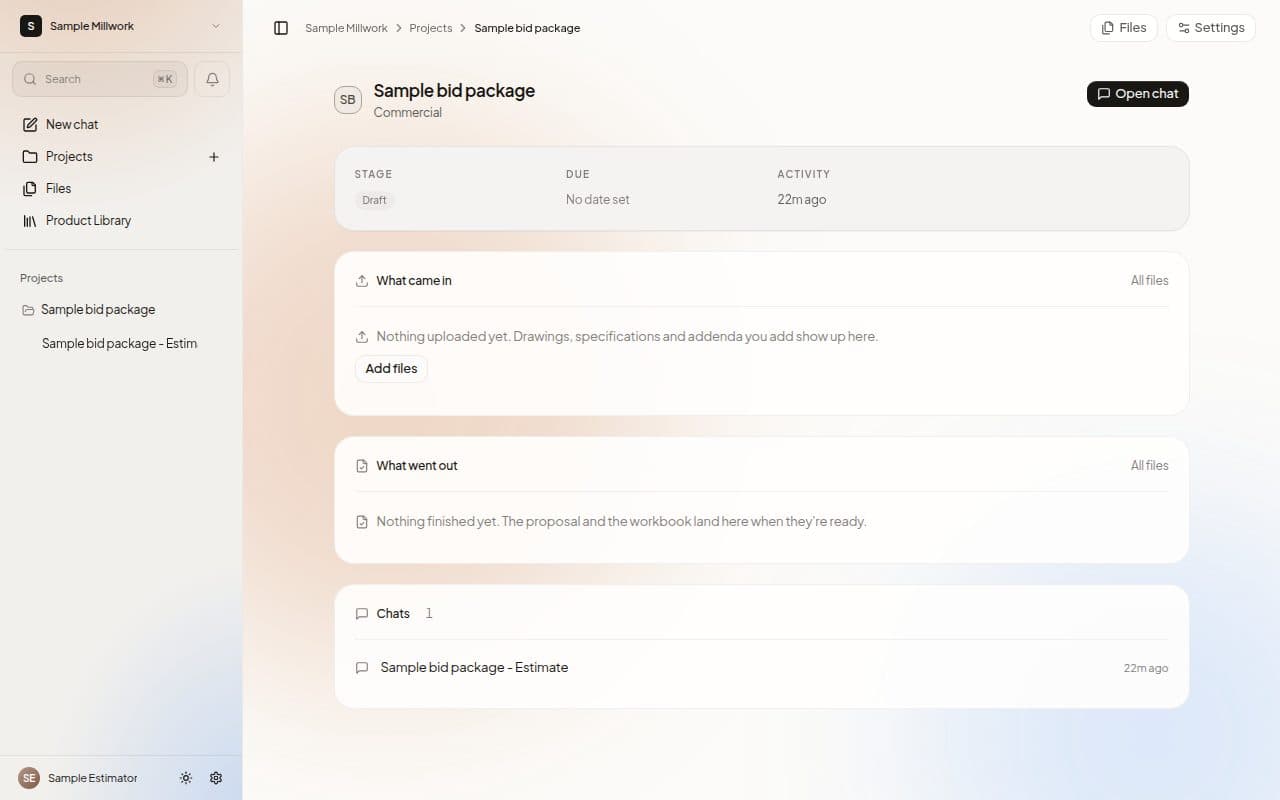
A Project at a glance
Everything for one bid lives on its Project page: what came in, what went out, and the Chats in between.
Guides
Getting started
What MillOS does, signing in and a tour of the app.
Your first estimate
From a new Project to a downloaded proposal, step by step.
Projects and Chats
Keep each bid's drawings, Chats and files together.
Takeoff Studio
Measure on the drawing and see every quantity.
Estimate review
Approve, reject or comment on each priced line.
Questions and RFIs
Answer questions for the estimate and keep an RFI log.
Product Library
Your products, units and rates in one place.
Files
Drawings, proposals and workbooks, with every version.
Spreadsheets and documents
Open and edit workbooks, PDFs and documents.
Workspace and Settings
Members, models, instructions and your Workspace.
Help and support
Shortcuts, what's new and reporting a bug.