
Help and support
Getting help
Where to find help inside MillOS.
Help is one click away from anywhere in MillOS. Open the profile menu at the bottom of the sidebar.
| Item | What it does |
|---|---|
| Help | Opens these guides. |
| Take the product tour | Replays the short guided tour of a first estimate. |
| Shortcuts | Shows the keyboard shortcuts. |
| What's New | Shows what has changed in MillOS. |
| Report Bug | Reports a problem to the MillOS team. |
Report a bug
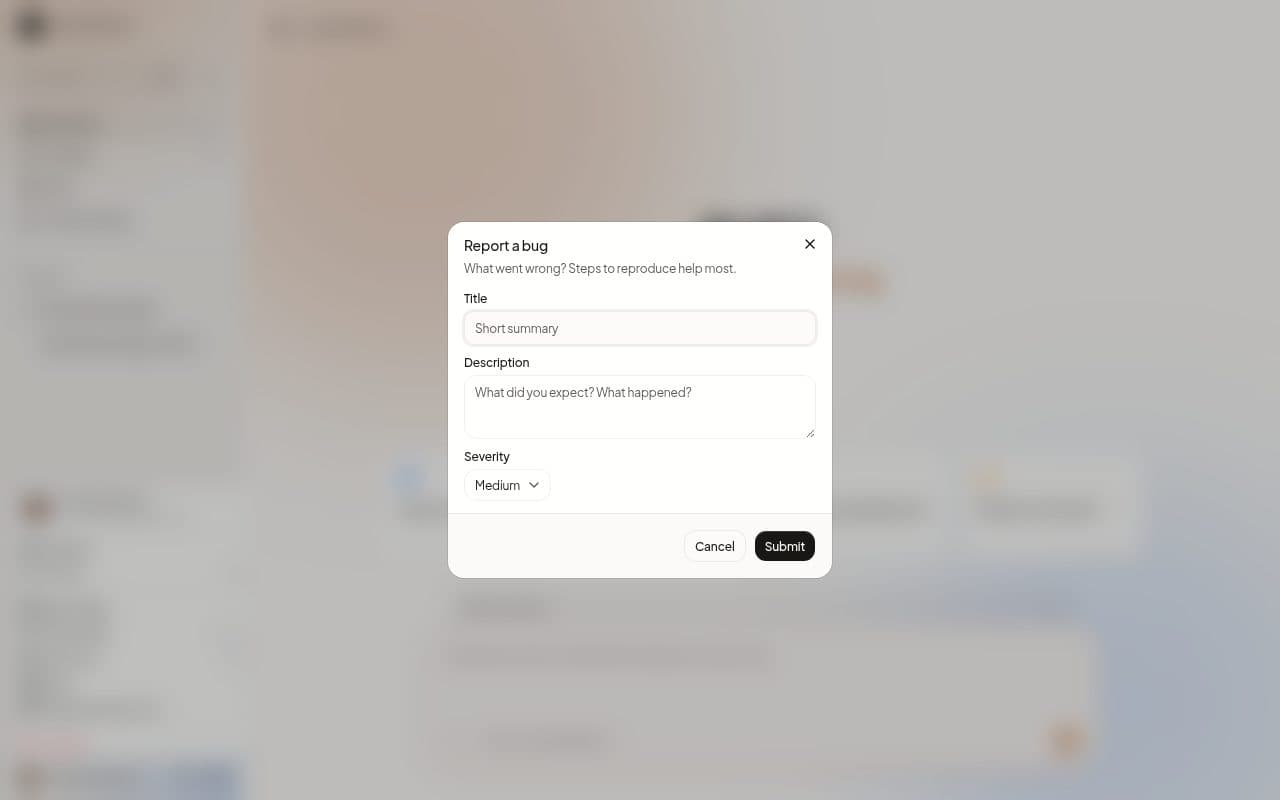
Choose Report Bug to open Report a bug. It asks "What went wrong? Steps to reproduce help most."
Enter a Title, a short summary of up to 140 characters.
Describe it under Description: what you expected and what happened.
Choose a Severity: Low, Medium, High or Critical. Medium is selected to start.
Choose Submit. MillOS sends the page you were on with your report and shows the number of the issue it filed.
Next steps
Last updated on